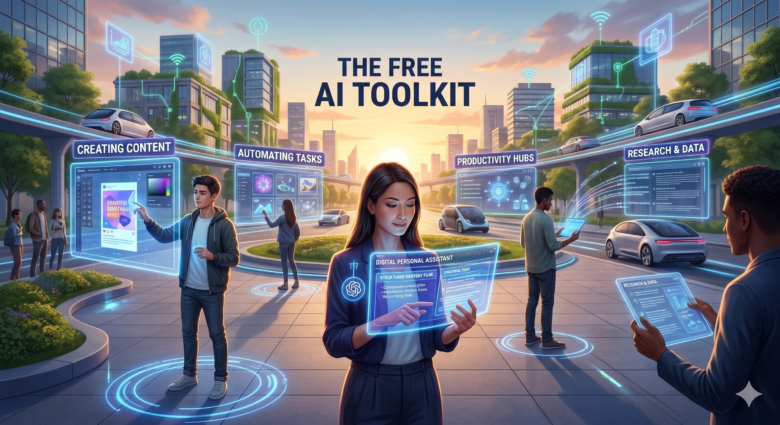
Artificial intelligence is no longer reserved for tech experts or massive corporations. Today, anyone with an internet connection can access incredibly powerful AI tools completely free of charge. From creating content and automating tasks to generating images and improving productivity, AI has become one of the most valuable technologies of the modern digital era.
The problem is not finding AI tools anymore.
The real challenge is figuring out which ones are actually useful.
Hundreds of platforms promise revolutionary features, but many are limited, confusing, or simply overhyped. That’s why choosing the right AI tools can save you time, boost your productivity, and dramatically improve your workflow.
This guide explores three of the best free AI tools available right now, what makes them stand out, and how you can start using them effectively today.
Why Free AI Tools Are Becoming Essential
AI is changing how people work, study, create, and communicate. Tasks that once required hours of effort can now be completed in minutes.
Modern AI tools can help you:
- Write articles and emails
- Generate images
- Summarize documents
- Brainstorm ideas
- Create marketing content
- Automate repetitive work
- Improve research efficiency
- Learn faster
The best part is that many advanced features are now accessible without spending money upfront.
Free AI platforms are giving individuals and small businesses access to technology that previously required expensive software or large teams.
1. ChatGPT – The Ultimate All-in-One AI Assistant

Why ChatGPT Stands Out
ChatGPT has become one of the most popular AI tools in the world for a reason. Developed by OpenAI, it combines creativity, productivity, coding assistance, research capabilities, and conversational intelligence into a single platform.
What makes ChatGPT especially powerful is versatility.
You can use it for:
- Writing blog posts
- Generating ideas
- Learning new topics
- Coding assistance
- Marketing strategies
- Business planning
- Productivity workflows
Unlike many AI tools that focus on one specific task, ChatGPT adapts to almost anything.
Best Features
Content Creation
ChatGPT can generate:
- Articles
- Social media captions
- Scripts
- Product descriptions
- Emails
Learning and Research
It explains complex topics in simple language and helps users organize information efficiently.
Coding Support
Developers use ChatGPT for:
- Debugging
- Writing scripts
- Learning programming languages
- Building apps
Step-by-Step: How to Use ChatGPT Effectively
Step 1: Start With Clear Prompts
Instead of writing:
“Write something about AI.”
Try:
“Write a beginner-friendly article explaining how AI improves productivity.”
The more specific your request, the better the result.
Step 2: Ask Follow-Up Questions
Treat AI like a conversation.
Ask:
- “Can you simplify this?”
- “Make it more professional.”
- “Add examples.”
This dramatically improves output quality.
Step 3: Use It Daily
The real power of AI comes from integrating it into your workflow consistently.
2. Canva AI – The Best Free AI Tool for Visual Content

Why Canva AI Is So Powerful
Canva has evolved far beyond a simple design platform. Its AI features now allow users to create professional visuals quickly, even without graphic design experience.
For content creators, marketers, bloggers, and entrepreneurs, Canva AI is a game changer.
What Canva AI Can Do
AI Image Generation
Users can create:
- Social media graphics
- Blog images
- Posters
- Presentations
- Digital artwork
Magic Design Tools
Canva automatically generates layouts, color palettes, and visual suggestions.
AI Writing Assistance
It also includes AI copywriting features for the following:
- Captions
- Headlines
- Marketing text
Best Use Cases
Canva AI is perfect for:
- Bloggers
- YouTubers
- Instagram creators
- Small businesses
- Freelancers
It removes the technical barrier of design.
Step-by-Step: Creating Content With Canva AI
Step 1: Choose a Template
Select a format like
- Instagram post
- YouTube thumbnail
- Presentation
- Blog banner
Step 2: Use AI Tools
Generate visuals using text prompts such as the following:
“Futuristic AI workspace with holographic screens.”
Step 3: Customize the Design
Adjust fonts, colors, spacing, and branding elements.
Step 4: Export and Publish
Canva makes publishing content extremely fast and beginner-friendly.
3. Perplexity AI – The Smartest Free Research Assistant

What Makes Perplexity Different
Perplexity AI focuses heavily on research and real-time information retrieval.
Instead of simply generating responses, it combines conversational AI with web-based research capabilities.
This creates a much more informative and fact-oriented experience.
Why Users Love Perplexity
Real-Time Information
It can access current web data and provide updated answers.
Source Citations
Perplexity often includes references and sources, which improves trust and transparency.
Fast Research Workflow
It saves enormous amounts of time when researching.
- Technology
- Business
- Science
- Trends
- News
Best for Students and Professionals
Perplexity is especially useful for:
- Researchers
- Students
- Journalists
- Writers
- Analysts
If you constantly search for information online, this tool can dramatically improve efficiency.
Step-by-Step: Researching Smarter With Perplexity
Step 1: Ask Detailed Questions
Example:
“What are the latest AI trends in productivity tools?”
Step 2: Review the Sources
Always analyze cited information carefully.
Step 3: Use Follow-Up Exploration
Dive deeper into specific areas by asking:
- “Explain this further.”
- “Compare these technologies.”
- “Summarize the key points.”
Which Free AI Tool Is Best for You?
The best AI tool depends entirely on your goals.
Choose ChatGPT If You Want the Following:
- A versatile AI assistant
- Writing and creativity support
- Coding help
- Brainstorming and productivity
Choose Canva AI If You Want:
- Stunning visuals
- Easy content creation
- AI-powered design
- Social media graphics
Choose Perplexity AI If You Want:
- Smarter research
- Real-time information
- Reliable summaries
- Faster learning
The Smartest Way to Use AI

Most people make one mistake with AI tools:
They rely on only one platform.
The most productive users combine multiple AI tools together.
For example:
- ChatGPT for writing
- Canva AI for visuals
- Perplexity for research
This creates a complete AI-powered workflow capable of saving hours every week.
The Future of Free AI Tools
AI technology is evolving at an incredible speed. Free platforms today are already capable of performing tasks that seemed impossible only a few years ago.
In the near future, AI tools will become
- More personalized
- Faster
- More creative
- More autonomous
- More integrated into daily life
People who learn how to use AI effectively today are gaining a massive advantage for the future.
And perhaps the most exciting part is this:
We are still only at the beginning.
The next generation of AI tools will not simply help people work faster.
They will completely transform how humans create, communicate, learn, and innovate in the digital world.